The digital menu that updates in seconds
Create a beautiful digital menu board for your restaurant and display it on any smart TV, tablet, or phone — no special hardware needed. 86 an item? One click and it's gone. No reprinting. No waiting.
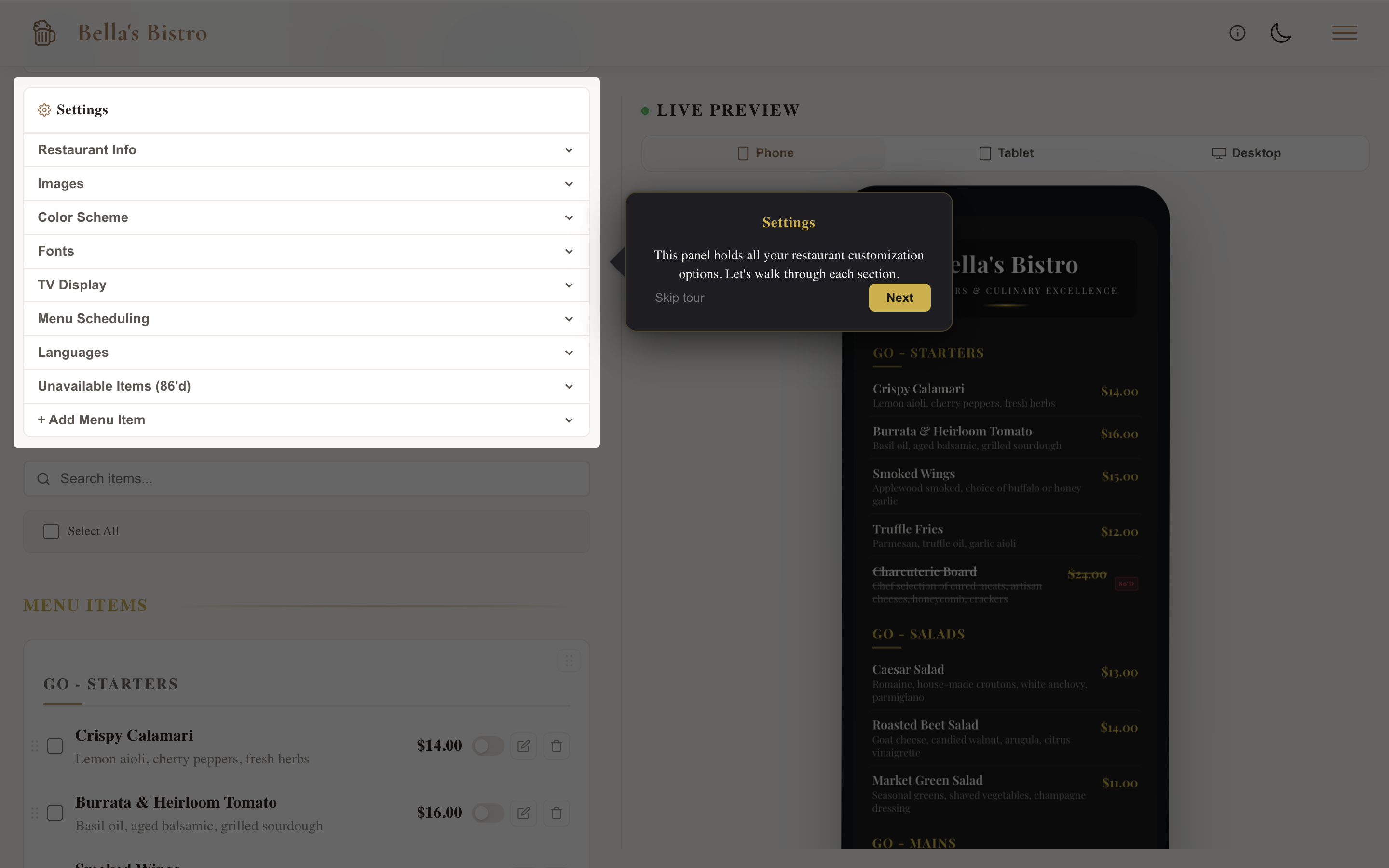
Three steps to your digital menu
Getting started is simple. Here is how it works:
- Sign up — Name your restaurant and claim your public URL. Takes thirty seconds.
- Build your menu — Add items one by one or bulk import from CSV. Organize into categories.
- Display and share — Pull it up on a smart TV with split-screen or auto-scroll, print a QR code for tables, print a paper copy, or share the link anywhere.
For a more detailed walkthrough, read our guide on how to create a digital menu for your restaurant.
A digital menu built for restaurants
Unlike generic signage tools, Live Digital Menus is built specifically for restaurants. Here is what makes it different:
- 86 it in one click — Out of the special? Toggle it off and every customer sees the change instantly. No reprints, no crossed-out lines, no awkward conversations.
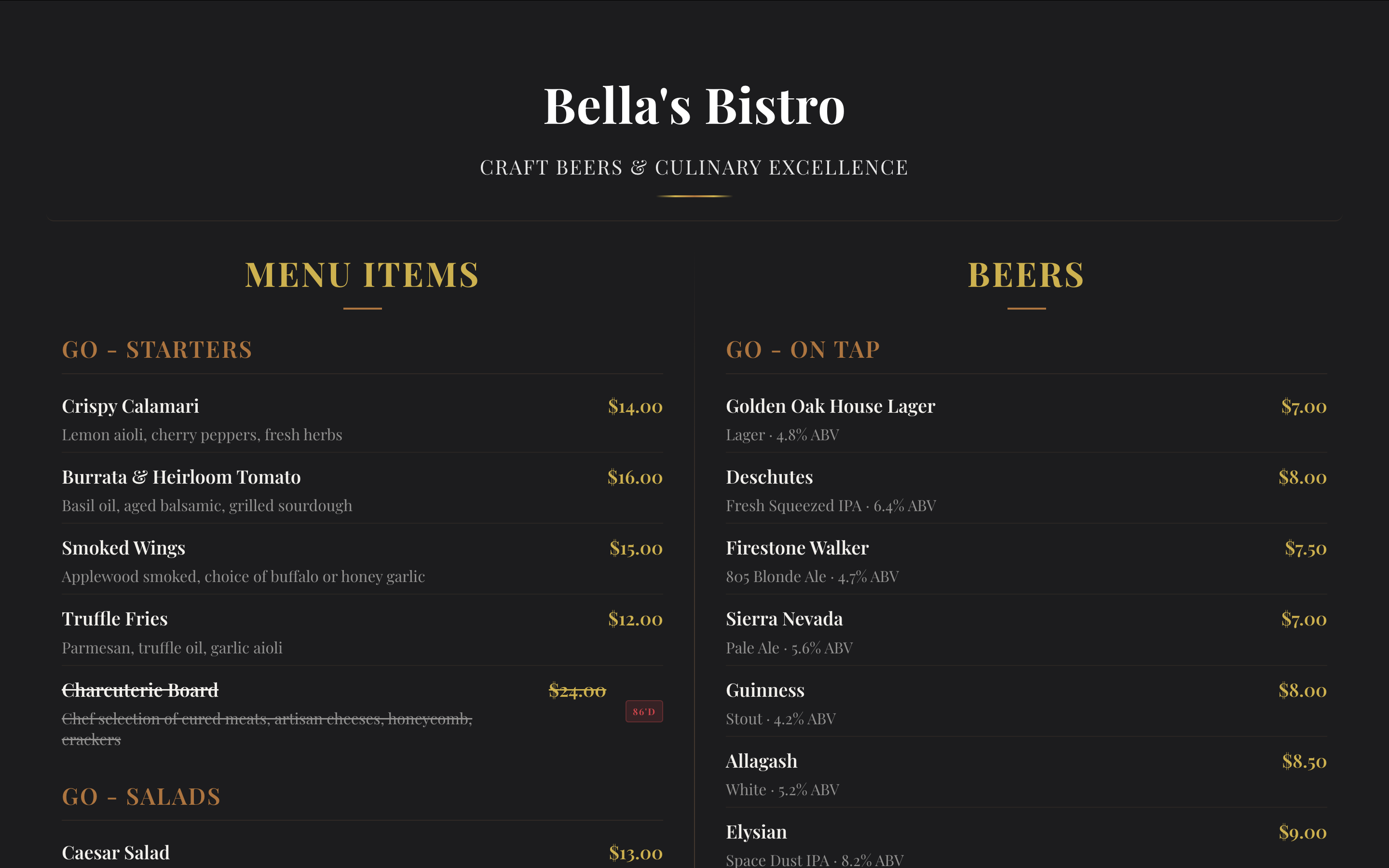
- Display your digital menu on any smart TV — Open a browser URL on any smart TV — no special hardware needed. Choose split-screen, page-flip, auto-scroll, or static display modes to match your space.
- QR code and print — Generate a QR code in one click, or print a clean paper copy straight from your dashboard. Customers can scan, browse, or read — however they prefer.
- Daily specials — Mark any item as a special with a custom label — "Chef's Pick," "Happy Hour" — and assign it to specific days of the week. Specials rotate automatically.
- Organized by category — Starters, Entrees, On Tap, Seasonal — drag and drop to reorder. Rename categories with a click. Search and filter from your dashboard.
- Works on every screen — Your digital menu looks stunning on phone, tablet, TV, or desktop. Responsive design adapts automatically so customers always get a great experience.
- Full brand customization — Your colors, your fonts, your logo, your background image. Add photos to menu items. See every change in the live preview before it goes public.
- Multi-language menus — Translate your menu into 10 languages with one click. Guests pick their language on the public menu, and TV mode supports language params.
- Dietary and allergen tags — Tag items as GF, Vegan, Contains Nuts, Spicy, and more. Badges display on the public menu so guests can find what works for them.
Simple, honest pricing
No contracts. No surprises. Cancel anytime. You can start free and upgrade when you are ready.
- Free ($0/forever) — Up to 20 menu and drink items, public menu page with unique URL, category organization, dietary and allergen tags, mobile-friendly display.
- Starter ($49/mo or $539/yr) — Up to 50 items, CSV bulk import, custom branding and colors, daily specials with scheduling, QR code generation, print menu, priority support.
- Pro ($89/mo or $979/yr) — Unlimited items, CSV bulk import, full brand customization, background images, fonts and logo, item images with optimization, daily specials with scheduling, multi-language menus (10 languages), TV display modes (split, page-flip, scroll), category scheduling (dayparting), live dashboard preview, print menu, priority support.
- Custom (contact us) — Everything in Pro, plus a multi-location dashboard, restaurant switcher, dedicated setup assistance, and custom integrations.
Not sure which plan is right for you? Read our pricing breakdown or find the best option for your restaurant.
Done-For-You setup
Too busy to set it up? We will do it for you. Send us your menu and branding, and we will build your entire digital menu — categories, items, images, colors, fonts — ready to display on day one.
$299 one-time setup
- Full menu entry and category organization
- Brand customization (colors, fonts, logo)
- TV display configuration
- QR code and print-ready menu
- Ready within 48 hours
How do we compare?
Your POS handles orders. We handle how your menu looks on every screen in the house.
| Feature | Live Digital Menus | POS Systems | Digital Signage |
|---|---|---|---|
| Native TV menu display | Yes | No (3rd party only) | Yes |
| TV display modes | Yes (split, page-flip, scroll) | No | Static only |
| Real-time 86'd items | Yes | No | No |
| QR code menus | Yes (all plans) | Limited (ordering only, $69+/mo) | No ($30/mo add-on) |
| Works on any smart TV | Yes (browser only) | No (proprietary hardware) | No (media player required) |
| Restaurant-specific | Yes | Yes | No (generic signage) |
| No contracts | Yes (cancel anytime) | No (1-3 year lock-in) | Yes |
| Daily specials | Yes (auto-rotate by day) | No | No |
| Multi-language menus | Yes (10 languages) | No | No |
| Dietary and allergen tags | Yes (13 tags) | Varies | No |
| Custom branding | Yes (colors, fonts, logo) | Limited | Yes (templates) |
| Starting price | Free (first 20 items) | $69+/mo + signage add-on | $8+/mo + media player |
For a deeper comparison, see menu boards vs digital signage.
Why switch to a digital menu?
Save money on printing
Every time you change a price or add a new dish, you reprint your entire menu. A digital menu eliminates printing costs completely. Update prices, add seasonal items, or remove sold-out dishes — all from your phone, in seconds.
Always accurate, always current
With a printed menu, customers order items that are no longer available. With a digital menu board, what they see is what you serve. Changes sync instantly to your TV display, QR code, and online menu.
Better guest experience
Guests can scan a QR code at the table and browse your digital menu on their phone — no waiting for a server to bring a menu. Dietary tags help them find dishes that work for them. Multi-language support welcomes international guests.
Have questions? Check out our FAQ for answers about setup, pricing, and features.
Switch to a digital menu today
Start free. Upgrade only when you need to.
Looking for design tips? Read our design guide. Running a small restaurant? See menu boards for small restaurants. Want to compare options? Check out the best free menu apps.